Turn your everyday spending into everyday earning
Earn up to 2% cash back4 on everyday spending, like groceries and gas. It’s your money – we help you get more out of it.



The account designed for anyone in Canada to save, spend and build a better future.
Canada Post MyMoney™ combines our heritage with the innovation of KOHO Financial.


Earn as you spend with up to 2% cash back.4
Build your credit. Build your future.5
Earn interest and grow your savings faster.6
Secure your money with CDIC protection.7
Earn up to 2% cash back4 on everyday spending, like groceries and gas. It’s your money – we help you get more out of it.

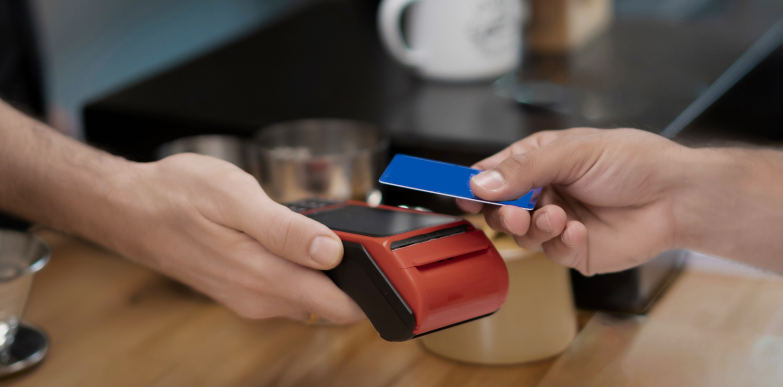
Your credit score matters. We make it possible to build your credit history to open new opportunities.
Don’t let your money sit still. Opt in to unlock interest on your entire balance and watch your progress build.
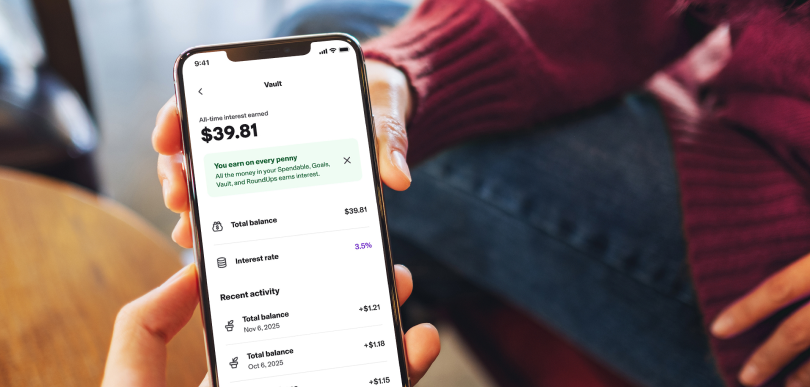

Rest easy knowing your money is safe. Your balance is protected by CDIC insurance.7
MyMoney isn’t credit, it’s your money. What you load into your account is what you spend.
It’s a simple and transparent approach to managing your finances.
$25 cash back bonus when you spend your first $100.1
Up to $15 cash back on MoneyGram sends.2
1 month of any paid plan for free.
Get up to $10 cash back on MoneyGram receives.3
We believe everyone across Canada deserves access to fair and empowering money services and tools. That’s why MyMoney is available to all residents who have reached the age of majority in their province or territory. It’s designed for your future, no matter your history.
Create your MyMoney Account online through our simple, secure KOHO partner page.
Download the KOHO app to manage your MyMoney Account on the go, track your spending and order a physical card if you’d like one.
Start using MyMoney by adding funds to your account through the KOHO app or visiting a Canada Post location.
Get help at any time using the “Support” feature in the KOHO app.
Choose any plan and get your first month for free. Plus, get $25 back when you spend your first $1001. After the first month, you can choose one of the plans below or opt for the Non-Member plan with no monthly fee.
Perfect for everyday spending. Earn cash back on everyday essentials like groceries, bills and transportation.
Level up your rewards. Get higher cash back rates and powerful credit-building tools to make your money go further.
The ultimate MyMoney experience. Maximize your cash back, earn our highest interest rate and unlock premium features.

Perfect for everyday spending. Earn cash back on everyday essentials like groceries, bills and transportation.
Level up your rewards. Get higher cash back rates and powerful credit-building tools to make your money go further.
The ultimate MyMoney experience. Maximize your cash back, earn our highest interest rate and unlock premium features.

Be ready to go anytime with a free eSIM and Travel Insurance, all in one place.
Get immediate, secure mobile access for purchases up to $250, keeping your larger funds protected.
Build credit by paying rent through your account and get credit score access easily.5
Subscribe to our Cover Bundle and receive a cash advance when you need it, plus a free credit report and financial coaching, all for as little as $2/month.8
Expand all Collapse all
The Canada Post MyMoney Account is a spending and savings account.
Delivered with KOHO, you choose the benefits that work best for you, like cash back rewards on everyday spending, no fees and Credit Building.
The account comes with a virtual card (you can also order a physical card through the KOHO app) that works like a debit card and uses the Mastercard network. So you can make purchases the same way you would with a credit card, but you’re using money you already have.
You’ll have access to the KOHO app to track your spending and savings and access your virtual card. And because it’s backed by Mastercard, you can use it almost anywhere that Mastercard is accepted – including online and ATMs.
Existing KOHO customers aren’t eligible and will not be able to sign up for the Canada Post MyMoney Account.
The Canada Deposit Insurance Corporation, or CDIC, is a Crown Corporation that provides deposit insurance for eligible deposits held at CDIC member institutions in case of a member institution’s failure. While KOHO is not a CDIC member institution, when you opt-in to Earn Interest, your Canada Post MyMoney Account balance delivered by KOHO is held in trust with one or more CDIC member institutions. CDIC insures eligible deposits held in trust up to $100,000 per beneficiary, per member institution, provided that KOHO meets certain disclosure requirements. For more information visit cdic.ca. We completely understand that you want to make sure your funds are safe with us. KOHO itself is not CDIC insured, but in the unlikely event that KOHO fails, your funds will be returned to you by our partners who hold your funds.
Canada Post MyMoney Accounts delivered by KOHO that do not earn interest are not eligible for CDIC protection.
Simply pick a plan and opt-in to unlock interest on your entire balance. You’ll be asked to provide some basic information and to agree to the terms and conditions. Note that you need to provide your Social Insurance Number (SIN) to open any interest earning account in Canada.
You will need to provide some basic personal and employment information. You will also need your Social Insurance Number (SIN) if you want to earn high interest on your balance. There is no cost to create an account.
You will enjoy the benefits of your chosen paid plan for free, for the first month. When your trial ends, you will automatically continue that plan for its monthly fee.
If you cancel your current plan, you will be switched to the Non-Member plan with no monthly fee. Alternatively, you can use the KOHO app to review the other 3 paid plans and select the one that best suits your needs.
It works everywhere Mastercard is accepted. However, please note that it cannot be used for gambling and adult entertainment sites.
Some countries do not accept pre-paid Mastercard. See the KOHO website for a list of these countries.
You can send money to your account via e-transfer or direct deposit. Or you can visit a Canada Post location to deposit cash or add money by using a QR code on your KOHO app or your existing debit card.
For more information and detailed instructions, simply click "Add Money" within the app.
Yes, you can use ATMs to withdraw cash with your Canada Post MyMoney Account card. We don’t charge any fees, but you may still be charged a fee by the ATM operator. You can review withdrawal limits in the app by tapping on the profile icon (top left) and selecting “Account velocity limits”.
Eligibility for cash back depends on the plan you have chosen for your Canada Post MyMoney Account. Purchases for certain categories may give you a higher cash back rate.
Your cash back will be applied once the transaction is marked as ‘settled’ on your activity feed. For promotional offers, it might take longer (up to 60 days after qualifying transactions have been ‘settled’) for the cash back to appear in your account. If you receive refunds for any of the cash back qualifying purchases, you will lose the cash back associated with those transactions.
Online purchases made with KOHO’s cash back partners earn additional cash back (eligibility depends on your MyMoney Account plan). Simply use the unique deal link provided in-app to make your purchase. KOHO’s cash back partners include Expedia, Booking.com, Sephora, PetSmart, Ticketmaster, Macy’s and many more. List of partners is subject to change.
You can use KOHO support in your KOHO app or the KOHO website to follow up on your cash back.
When you fund your Canada Post MyMoney Account, you will receive a coupon code from KOHO ($5 value in cash back that can be used in 3 separate in-person MoneyGram send transactions.) To use the coupon code, visit a Canada Post location in person within the first 90 days of funding your account. Cash back on your send will be applied back to your MyMoney Account, within 30 days.
You need to open a MyMoney Account and receive your 2 separate MoneyGram transfers within the first 60 days of an account opening. A $5 cash back per transaction (up to 2 transactions) will be applied back to your MyMoney Account, within 30 days.
Currently, you can use cash or a non-MyMoney debit card to pay for a MoneyGram send transaction.
This Canada Post MyMoney™ Account delivered by KOHO (the “Account”) offer consists of a one-time payment of the following: a) a twenty-five ($25) dollar cash back (“MyMoney Cash Back”); b) a fifteen ($15) dollar cash back for MoneyGram send transactions (the “$15 MoneyGram Cash Back”); and c) a ten ($10) dollar cash back for MoneyGram receive transactions (the “$10 MoneyGram Cash Back”) (collectively, the “Offer”). This Offer is exclusive to primary Account holders that are Canadian residents, that do not have an existing relationship with KOHO at the time of opening the Account, who are the age of majority in their province or territory at the time of opening the Account (the “Customer” or “Customers”), and who meet the terms and conditions outlined below.
This Offer may not be combined or used in conjunction with any other Canada Post MyMoney offers unless otherwise indicated by Canada Post or KOHO. Canada Post or KOHO reserves the right, at their sole discretion, to cancel, terminate, modify, suspend, extend, or otherwise amend all or part of this Offer at any time without prior notice. These terms and conditions and all disputes or other matters arising out of a Customer’s participation in this Offer are governed by and will be construed in accordance with the laws of the Province of Ontario and the applicable laws of Canada, without regard to any choice or conflict of laws, rules or principles that will result in the application of the laws of any other jurisdiction.
The Customer acknowledges that these terms and conditions and the documents incorporated herein by reference set out the entire agreement between the Customer, Canada Post, MoneyGram and KOHO with respect to this Offer.
Get the Canada Post MyMoney Account delivered with KOHO today.
Sign up now with KOHOHave questions?
Get help at any time by using the "Support" feature in the KOHO app.